
Employee attendance tracking, built for WordPress.
A self-hosted time clock, break tracker, attendance evidence, reporting, and upgrade-ready workforce workflow for teams that already run operations inside WordPress.
Start with the free plugin for clock in/out, breaks, reports, GPS evidence, departments, shifts, CSV export, and Mobile Lite. Upgrade to Pro for unlimited mobile users, advanced mobile controls, GPS routes, face verification, multiple locations, payroll reports, and deeper workflow controls.
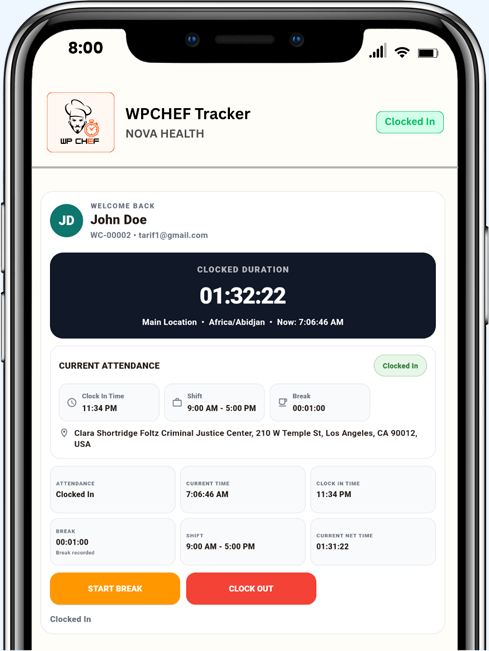
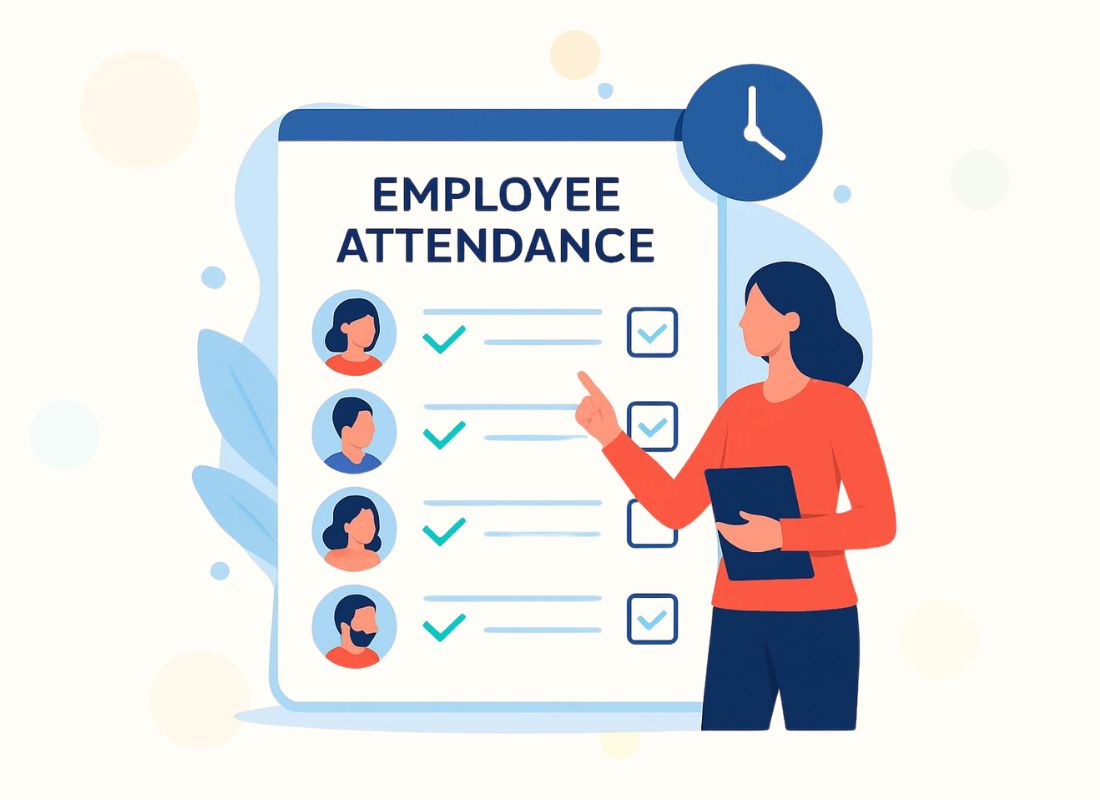
What is an attendance tracker?
A simple system for recording work time, breaks, and attendance proof
An attendance tracker records when employees start work, take breaks, return from breaks, and finish work. For WordPress-based businesses, WPChef Tracker brings that process into your own site with a protected frontend clock page, attendance evidence, employee history, admin reporting, and CSV export.
Instead of using paper timesheets, scattered messages, or spreadsheets that need manual cleanup, your team can keep timestamped attendance records that are easier to review, adjust, and export.
Cleaner daily records
Every workday starts with a clear clock action and ends with a reviewable record.
Less payroll confusion
Admins can review clock times, break notes, evidence, adjustments, and exports from one place.
Better accountability
IP, device, user-agent, and optional GPS evidence help create a stronger attendance trail.
What to look for in an attendance tracker
The features that save time after the first week of use
A good attendance system should do more than capture a start and end time. It should make the record easy to trust, easy to review, and easy to move into reporting or payroll workflows.
- Frontend clocking so employees do not need WordPress admin access.
- Break tracking with notes so workday context is not lost.
- Attendance evidence such as IP, device, user-agent, and optional GPS data.
- Shift and department structure so records match real operations.
- Admin review and export so reports are not manually rebuilt every pay period.
- Upgrade path for Pro needs like payroll reports, face verification, GPS routes, multiple locations, and advanced mobile controls.

For employees
A clear clock page, today’s status, break controls, and recent attendance history.
For admins
Filters, reports, manual adjustments, CSV export, and reviewable event evidence.
For growing teams
A Pro path for unlimited mobile users, multiple locations, payroll exports, route tracking, and approvals.
Everything needed for practical WordPress attendance operations.
Start with the free web tracker for everyday clocking, evidence, reports, and exports. Upgrade to Pro when your business needs deeper mobile controls, payroll workflow, route tracking, face verification, and advanced manager operations.
Frontend employee clock
Employees clock in, clock out, and track breaks from a protected frontend page using the WordPress login system.
Free
Break notes and today status
Track break in/out with optional notes and show today’s attendance status below the clock.
Free
Attendance evidence trail
Capture event time, IP, simple device type, browser user-agent, and optional GPS evidence when enabled.
Free
Reports and CSV export
Review attendance with filters, basic reports, manual adjustments, event evidence, and CSV export.
Free
Departments and shift templates
Organize staff by department and use shift templates with clock-in and clock-out grace minutes.
Free
Mobile Lite connection
Connect Agency ID and free mobile license sync for limited mobile access and one-way Inbox announcements.
Free
Unlimited web and mobile users
Pro removes the free mobile-user limit and supports larger teams with deeper mobile workflows.
Pro
GPS routes and location controls
Pro adds continuous GPS/event route records, route exports, multiple locations, and deeper location controls.
Pro
Payroll, approvals, and exceptions
Pro expands reporting, payroll-compatible exports, approval workflows, overtime, and exception review.
Pro
Face verification and selfies
Pro supports face enrollment, face verification, liveness-style checks, and selfie evidence for clock actions.
Pro
Two-way mobile Inbox
Pro adds employee-to-admin and department messaging, replies, read status, and manager/admin Inbox tools.
Pro
Frontend manager pages
Pro includes frontend shortcodes for attendance, reports, employees, departments, locations, shifts, settings, mobile app, Inbox, and face verification.
Pro
Verify clock-ins with location proof.
Built for field teams and location-sensitive work
When employees clock in or out, WPChef Tracker can capture GPS through browser geolocation, store a Google Maps link, and validate attendance against the employee’s assigned location.
- GPS location capture
- Google Maps link and map preview support
- Geofence/radius restriction
- Location assignment by employee
Catch attendance exceptions before payroll.
Late, early, missing, and overtime controls
Define shift rules that identify late clock-ins, early clock-outs, missing clock-outs, and overtime. Employees can be required to explain flagged actions before HR or managers approve them.
- Late and early clock rules
- Required employee explanation popups
- Missing clock-out auto detection
- Overtime allowed option and calculation

Your attendance data stays in your own WordPress database.
A secure ownership model for employee attendance records
WPChef Tracker is self-hosted. Your clock records, break notes, admin adjustments, employee IDs, event evidence, optional GPS coordinates, settings, reports, and exports remain inside your own WordPress hosting environment instead of being stored as default attendance records in a separate SaaS account.
- Attendance data remains under your own hosting and WordPress administration.
- You control backups, retention, exports, employee notices, and access policies.
- WordPress roles, capabilities, nonces, sanitization, escaping, prepared database calls, and direct-access guards support safer data handling.
- Basic web attendance works without third-party services; Google Maps and mobile connector features are optional and only used when configured.
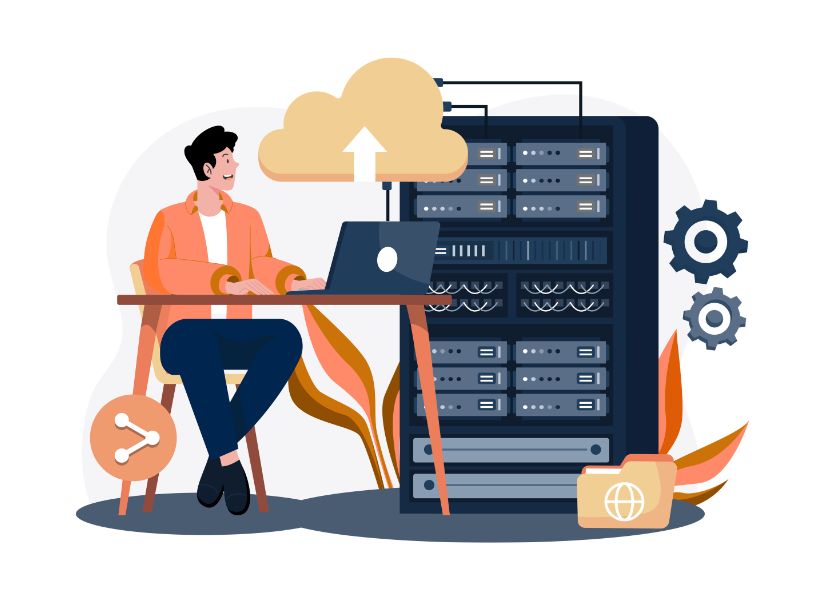
Secure by ownership and control
Keep attendance records inside the environment your business already manages.
Controlled accessEmployees, managers, and admins use WordPress users, roles, and allowed access rules.
Audit-friendly recordsClock events, adjustment notes, device data, and location evidence can support internal review.
No dependencyUse your own WordPress site for attendance operations instead of sending everything to an external attendance platform by default.
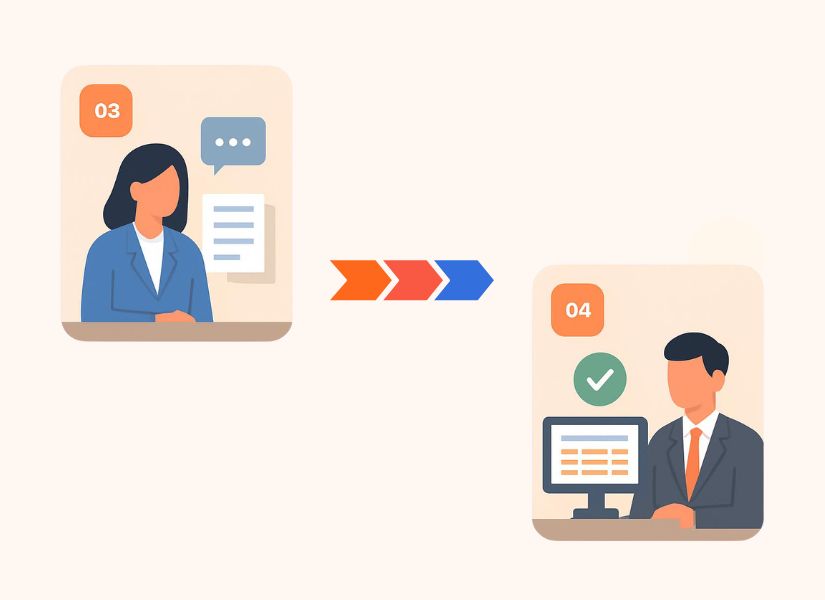
One clear flow from clock-in to payroll-ready export.
WPChef Tracker keeps the operational path simple: employee action, rule validation, explanation, approval, and export.
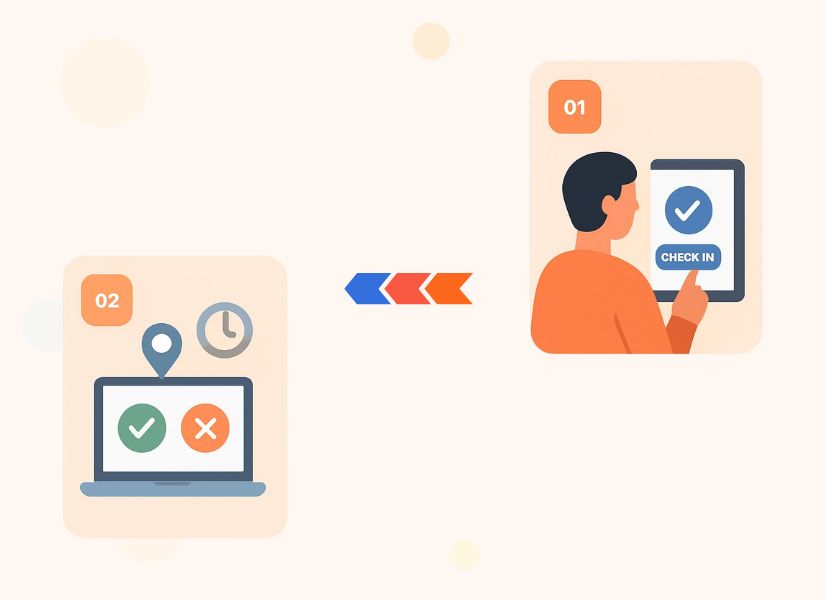
Employee clocks in
The frontend panel records the employee action and captures device, IP, time, and GPS when enabled.
Rules validate the record
Shift, location, late, early, and overtime rules decide whether the record is clean or needs review.
Manager approves exceptions
Explanations and flagged records move into a manager/admin approval process.
Payroll export is ready
Approved attendance can be exported into payroll-ready CSV workflows.
Connect attendance data with the systems your business already uses.
Use exports, REST API, and outgoing webhooks to support reporting, payroll, accounting, and automation workflows.
Google Sheets
Sync or export attendance records into reporting workflows.
ADP and payroll
Prepare payroll-friendly exports for processing routines.
QuickBooks, Xero, FreshBooks
Move approved summaries into accounting-adjacent workflows.
Zapier / Make
Automate follow-ups, alerts, notifications, and connected processes.
Zoho / NetSuite
Support finance and enterprise workflows through exports and API paths.
REST API + Webhooks
Connect attendance and employee data to custom systems.
Choose the right WPChef Tracker package for your operation.
The free plugin is strong enough for basic employee time tracking, reports, GPS evidence, departments, shifts, CSV export, and Mobile Lite. Pro is for larger teams that need unlimited users, advanced mobile controls, multiple locations, payroll reports, GPS routes, face verification, two-way Inbox, and deeper workflow control.
Simple pricing for WordPress attendance tracking.
Two main packages: Free for basic tracking, Pro for serious attendance operations. Add integrations only when your business needs them.
WPChef Tracker Free
Free
Best for teams that need a self-hosted WordPress clock-in system with basic records and exports.
- Frontend employee clock page
- Clock in/out and break notes
- Attendance history and admin filters
- IP, device, browser, and optional GPS evidence
- Departments, shift templates, and one company location
- Mobile Lite setup and one-way announcements
Good starting point for small teams that want attendance records inside WordPress.
WPChef Tracker Pro
Best value
Monthly billing for teams that want Pro without a yearly commitment.
Yearly billing for teams that want the best annual value.
No hidden cost
- Everything included in Free
- Unlimited web and mobile app users
- Multiple locations, offices, branches, and field locations
- GPS route tracking and stronger location controls
- Face recognition, selfies, and verification workflow
- Two-way Admin/HR and employee communication
- Extended payroll-compatible reports and exports
- Frontend admin/manager pages and shortcodes
Best for teams that need accountability, mobile attendance, payroll review, and manager controls.
Add payroll integrations, leave management, or Google Sheets without forcing every buyer into a bigger package.
Payroll Integrations
or $99/year per tool. Choose only the payroll/accounting tool your business uses.
Leave Management
or $99/year. Add leave requests and approval workflow beside attendance records.
Google Sheet Integration
Lifetime license for teams that want attendance data in Google Sheets workflows.
Questions buyers ask before they choose WPChef Tracker Pro.
These FAQs clarify what is included in the free WordPress.org plugin, what becomes available in Pro, and how the add-on model works.
Does WPChef Tracker require Gravity Forms or WooCommerce?
No. WPChef Tracker is a standalone attendance plugin with its own attendance tables. It does not require Gravity Forms, GravityView, WooCommerce, or another form plugin.
Which shortcode should I use for the employee clock page?
Use [wpchef_tracker] on a protected employee page. The legacy [wpchef_attendance] shortcode remains available only for compatibility.
What is included in the free plugin?
The free plugin includes frontend clock in/out, break tracking with notes, today status, attendance history table, admin dashboard summary, attendance filters, basic reports, manual adjustments, IP/device/user-agent evidence, optional GPS evidence, one company location, departments, shift templates, employee/manager creation, Mobile Lite, one-way announcements, and CSV export.
Can employees clock in from the frontend?
Yes. Employees log in with an allowed WordPress role and use the frontend tracker page to clock in, clock out, manage breaks, and view recent attendance records.
Can managers use the free plugin?
Managers can be created as WordPress users in the free plugin, but advanced frontend manager/admin pages are part of Pro. Use Pro when managers need a stronger frontend review and workflow experience.
Is mobile app access included?
The free plugin includes Mobile Lite with an Agency ID and free mobile license sync. Pro is designed for unlimited web and mobile app users plus advanced mobile features.
Does the free plugin include GPS?
Yes, optional browser GPS evidence can be captured for Clock In, Break In, and Clock Out. The free plugin does not include continuous GPS route tracking, geofence enforcement, or route maps.
Does Pro support GPS route tracking?
Yes. Pro includes GPS Tracking Route tools, frontend shortcode support, and CSV export for continuous GPS/event route records.
Does the free plugin include face recognition?
No. Face recognition, liveness-style verification, and clock-in/clock-out selfie evidence are Pro features.
Can I use multiple locations?
The free plugin supports one company location. Pro is designed for multiple locations, offices, branches, field locations, and stronger location-based controls.
Can I create departments and shift templates?
Yes. The free plugin includes departments and shift templates. Pro adds deeper shift, overtime, approval, exception, payroll, and mobile workflows.
Can I export attendance data?
Yes. Free includes CSV export from the Attendance page. Pro adds extended attendance and payroll-compatible exports with more operational fields.
Is Google Maps required?
No. Basic attendance tracking works without Google Maps. A Google Maps Platform key is only needed if you want address autocomplete, readable address conversion, map previews, or related location setup features.
Where is attendance data stored?
Attendance records are stored in your own WordPress database. Optional services such as Google Maps or the mobile connector are only involved when those features are configured and used.
Does Pro include REST API and mobile API endpoints?
Yes. Pro includes REST endpoints for attendance and employee data, plus mobile API endpoints for login, token refresh, clock actions, attendance history, GPS pings, face enrollment/verification, Inbox, and device registration.
How do the add-ons work?
Pro covers the core attendance operation. Add-ons are optional for teams that need payroll/accounting integrations, leave management, or Google Sheets workflows without forcing every buyer to pay for features they do not need.
Start with free attendance tracking. Upgrade when your team needs more control.
Use WPChef Tracker Free for everyday WordPress clock in/out, break tracking, evidence, reports, and CSV export. Move to Pro when you need unlimited mobile users, multiple locations, GPS routes, face verification, payroll-ready reporting, and frontend manager workflows.
Free to startLaunch the basic WordPress time clock without paying first.
Self-hosted privacyAttendance data stays inside your own WordPress database and hosting environment.
Upgrade pathAdd Pro and optional add-ons only when your operations need them.